Oooohhh…
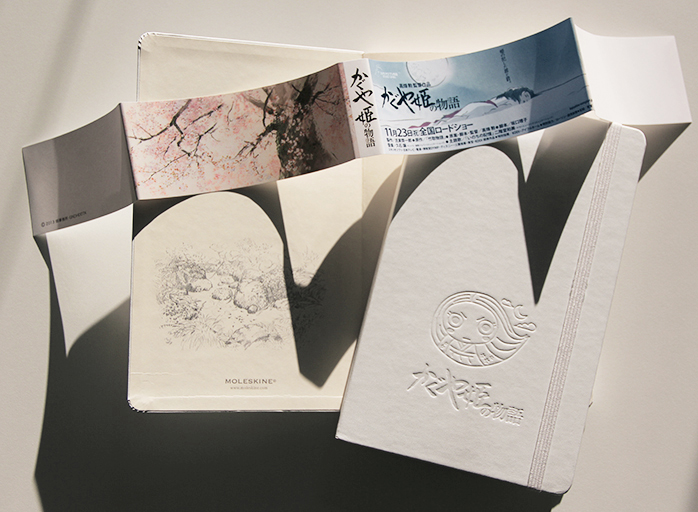
Read more at Studio Ghibli Special Edition: The Tale Of The Princess Kaguya – Moleskine ®.

Oooohhh…
Read more at Studio Ghibli Special Edition: The Tale Of The Princess Kaguya – Moleskine ®.
This week’s addict emailed me to share her collection– or at least part of it:
I’ve been reading your blog for about a year now, and my favourite part of it is the Addict of the Week. I always wonder if my collection is actually a bit absurd compared to some of the others, but I think it’s fairly impressive. Sorry about the bad photo quality!These are all my unused notebooks. I haven’t counted them all but I’d estimate there’s about 150-200 there. I go for bright designs, pretty pages, textured covers and of course, paper quality. My collection includes six TeNeues CoolNotes, two Moleskine sketchbooks, an A5 Miro and dozens of random ones picked up because I couldn’t resist them. I seem to leave the house with no notebooks and come back with at least three. I use them for journals, but also to write character diaries, short stories, novel outlines and each year I use several in my NaNoWriMo attempt.I love the feel of pen on paper. I have been keeping a journal ever since I was a kid. And every time I feel like slacking in my writing, all those notebooks just look at me reproachfully until I get back into it. I don’t know a better feeling than finishing a notebook and adding it to the other -much smaller- stack. :D
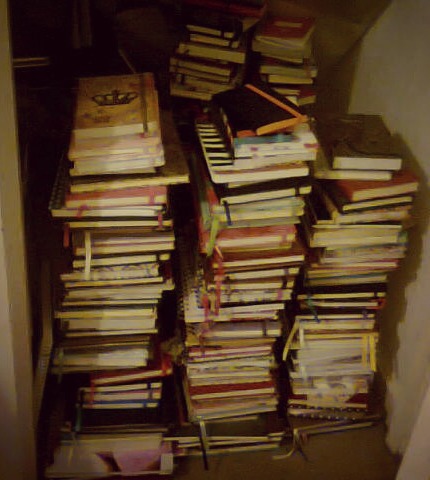
Wow. That is a pretty amazing stash of notebooks in waiting! Even if the “used” stack is smaller, I’d love to see that too! Thanks for sharing your addiction, Jemma!
I’m pretty picky about reviewing things that aren’t notebooks. I’ve occasionally been asked to review notebook covers or pen holders and the like, but I usually decline the samples, as I’m just not that interested. So when the makers of the Doxie Flip Scanner offered me a sample to try, I at first thought I should pass. (I also thought it was odd that they had named their product with an archaic term for a prostitute.) But the more I thought about it, I realized this was a product that could really solve a problem for me.
I live in New York City, which is not known for combining spaciousness and affordability in real estate! It’s bad enough that I have lots of books and notebooks and art supplies taking up space without having to make room for other things like furniture and people. I’ve always had laptop computers because a desktop and monitor would take up too much space. As for other electronics, I do have a scanner/copier/printer combo unit that is relatively sleek, but even that is too big for me to be able to leave it out and plugged in and ready to use. When I want to scan something, I have to clear a surface for it, move it, run a cord to an outlet and be wary of tripping over it, and the whole thing is such a rigamarole that I just put it off or give up. When I see images of notebooks in magazines and newspapers, I usually just snap a photo of them with my iPhone, and sometimes I’ll do the same with drawings in my sketchbooks that I want to share, even though they don’t look that great. So for me, the idea of a portable, battery powered scanner sized just right for notebooks was very attractive.
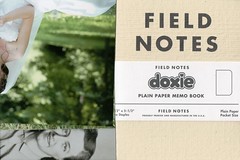
The Doxie sample arrived in a rather large box, but that was because a press kit of goodies was included. Doxie has a partnership with Field Notes, so I received a custom edition Field Notes, plus one of their regular 3-packs, along with an assortment of sample things to scan, such as fabric, photos, and old postcards. I also received a carrying case for the scanner. The Doxie Flip itself was in a smaller box, which was nice and easy to open– none of that horrible plastic you have to cut with a razor! You pull off a couple of plastic seals and a battery tab, and boom, within seconds you can turn it on and start scanning. And for once, you will WANT to read the instruction manual even though the product is so simple to use you almost won’t need to–Â the manual is attractively designed and printed in an adorable notebook!
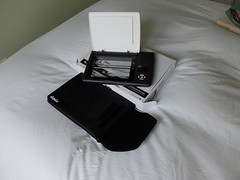

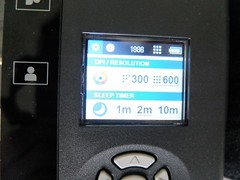
There is a small screen with simple settings– 300 dpi or 600 dpi, and a choice of how long the device should stay on before it shuts itself off to save power. There’s an on/off slider switch, a big green “scan” button, and a slot with a 4GB SD card. All blissfully simple.
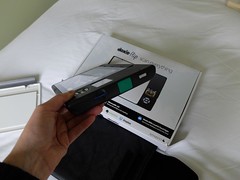
The whole unit is very light, about the size and heft of a quality paperback book, and slimmer and lighter than most hardcovers. You can scan small items the usual way by placing them on the scanner bed and closing the lid over them. The scanner lid pops off easily so you can also turn the scanner over and place it on top of what you’re scanning. (I found that it could sometimes pop off a little too easily– it doesn’t have the kind of flexible joint some larger scanners have, so you can’t press it flat against anything thick or the leverage might pop it off the base.)
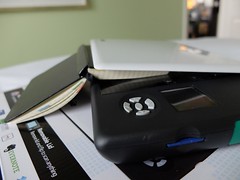
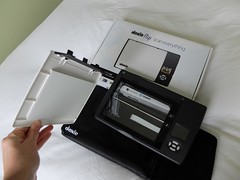
The bottom of the scanner has a clear plastic panel that allows you to align your scan. That’s the “flip” aspect of it. I found it natural to flip it on a horizontal axis, but it turned out that made all my scans come out upside down. If you flip it sideways, as if you were turning the page of a book, they’ll be oriented correctly. But the scanner is wider that way, so it’s a bit awkward. Either way, it’s not a big deal as you can always reorient the scans later. And I had not noticed at first that there are little icons on both sides of the scanner that tell you which way is up.
I played around with it a bit, walking around scanning things in odd locations. The scans won’t be clear unless the material is flat against the scanner bed, but you can get some interesting effects by holding it at odd angles. And it’s so light and small, you can maneuver it pretty much anywhere. I’m sure a lot of people are really happy that they can now scan their butt without the risk of accident or injury to one’s person or to an expensive piece of office equipment.
A few scans of note:
My fingertips on the screen in a dark room:

The TV screen showing a football game:

My iPhone, which turned itself off during the scanning process:

Notebook pages– one shows what happens if you move the notebook slightly. Some are 300 dpi and some are 600 dpi.


Other assorted stuff. You can see larger versions of these images on Flickr.






The scanning area is approximately 4 x 6″. This is a great size for postcards or photos, but I actually found it a little awkward for notebooks, at least in some ways. I wish they had made it just a teeny bit bigger, so you could scan a full double spread of a standard pocket-size notebook– that would mean a scanner area of about 5.5 x 7″. As it is, you can only scan one page at a time. My first test scans of a pencil drawing in a squared Piccadilly notebook came out with some bleached-out areas, perhaps because I hadn’t pressed down enough on the notebook, or perhaps because it was hard to get an even pressure without being able to get the whole spread on the scanner bed. (Scanning a thinner Field Notes or Moleskine Cahier-type notebook would be a little easier.) Given that they are really targeting this scanner at users of Field Notes and other notebooks, it’s really a shame not to have that perfect fit to a page spread. I know it would probably mean a slightly higher price and larger overall size, but to me, it would be worth it.
When you’ve stopped running around scanning artwork on your walls, your bathroom tiles, your television, your rug, your floor, your face, your friends’ ears, and whatever else strikes your fancy, you install a quick piece of software on your computer or iPad, and then connect the SD card, either via an SD slot, an included SD-to-USB adapter, or an iPad adapter that can be purchased separately. You can edit your scans in various ways and save them as PDFs or JPEGs. The next version of Doxie’s software is supposed to offer an Auto-Stitch feature that will allow you to scan a larger image in overlapping sections and combine them, which would help with the issue of not being able to scan a notebook page spread. You can also “staple” together multiple images to save them as pages in a single PDF document. In general, I found the interface to be a lot more simple and intuitive than other scanner software I’ve used.
All in all, I think this is a great product. I haven’t tried any other portable scanners, so I can’t say how this might measure up against them, but just to judge the Doxie on its own merits, I found it easy and fun to use, and as I said at the beginning of the review, it’s solved a problem for me. It does what you want it to do, aside from the issue of the size vs. a full notebook spread. I can see it coming in handy for all sorts of people– students, artists, scrapbookers and many more.
Check out the full tech specs at the Doxie website. Suggested retail is $149, plus $19 for the carrying case. It would make a great holiday gift– you can snap one up at Amazon
Now, about that giveaway! I will select a lucky winner to receive the Field Notes mixed 3-pack AND the custom Doxie Field Notes. Just enter in one of the following ways:
On Twitter, tweet something containing “Doxie Flip,†“@Doxie” and “@NotebookStoriesâ€, and follow “@NotebookStories.â€
On Facebook, “like†the Notebook Stories page , and post something containing the words “Doxie Flip” on the Notebook Stories wall.
On your blog, post something containing the words “Doxie Flip†and “Notebook Stories†and link back to this post.
The deadline for entry is Friday December 20 at 11:59PM, EST. Good luck everyone!
And please remember to check my posts on Facebook and Twitter for an announcement of the winner.
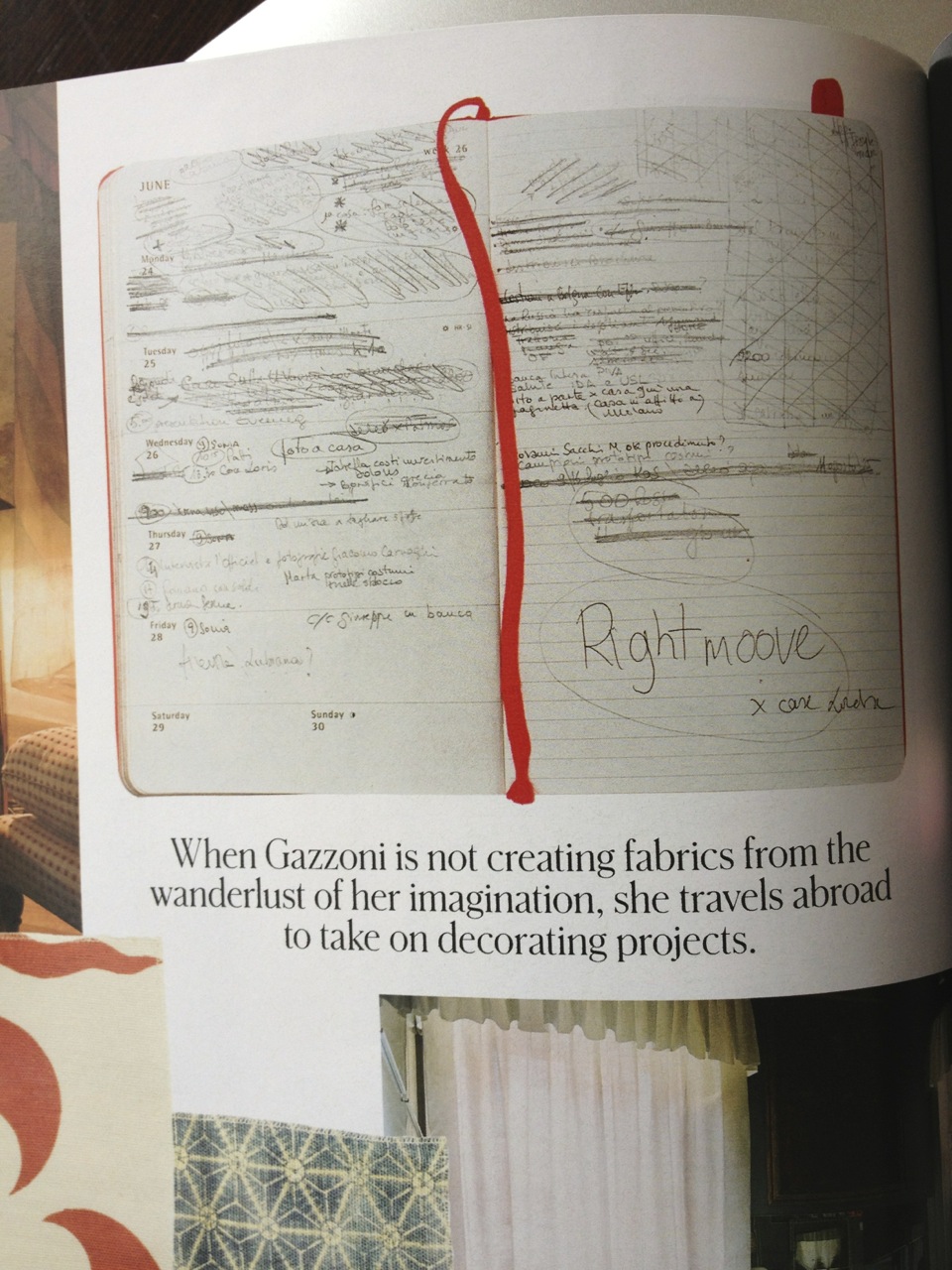
This one’s from the New York Times “T” Magazine of Dec. 8, a Moleskine planner belonging to Italian fabric designer Idarica Gazzoni:

This week’s addict posted this photo on Flickr with these comments:
“The journals I have here with me in England
I have no idea where the rest of my books are, but here is a pretty good spread.”
From that, I deduce that she was just traveling to England or living there temporarily, and I was impressed that she brought so many notebooks with her! And she has more elsewhere… I’d love to see the whole collection! There are a few more notebooks and interior pages shown on her Flickr photostream.
I just love this. A beautiful old notebook with wonderfully drawn little sketches. I’ve come across a few other examples of these T. J. Smith’s “metallic memorandum books” online (and posted about one here). I just wish I’d find one in a junk shop somewhere so I could own one of these treasures myself!
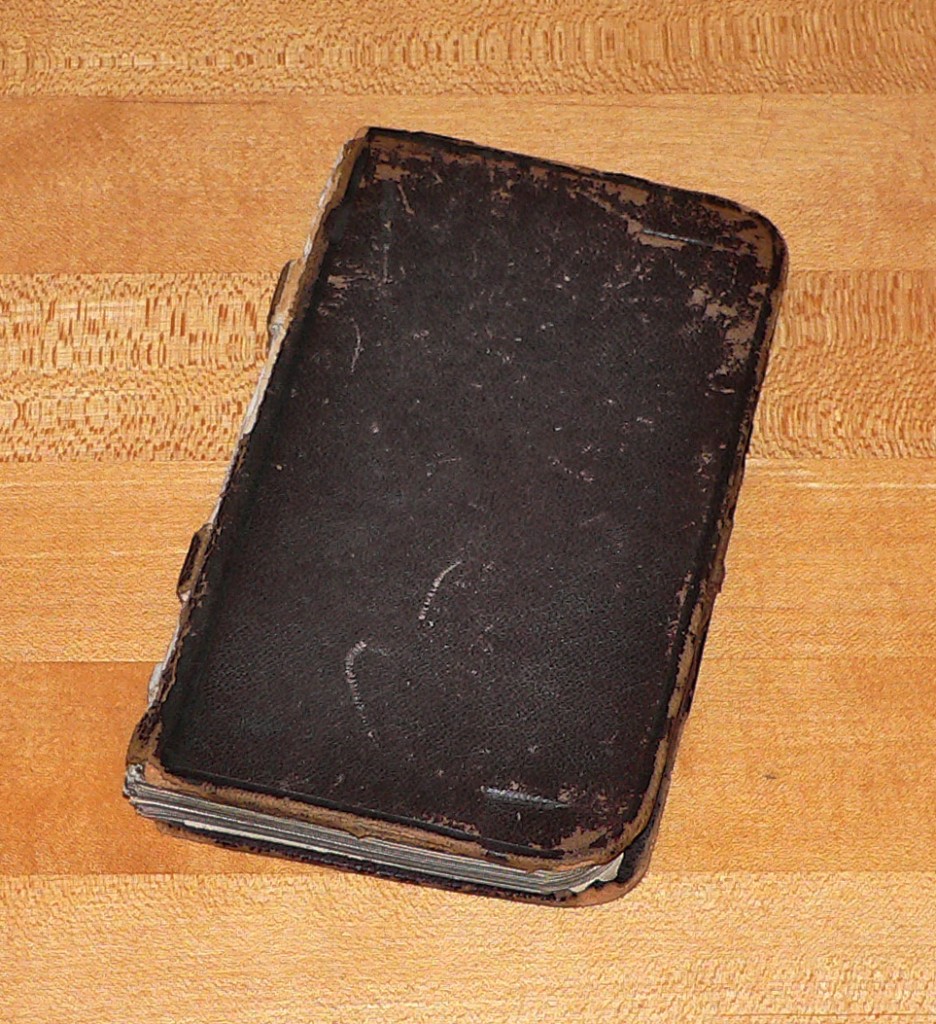
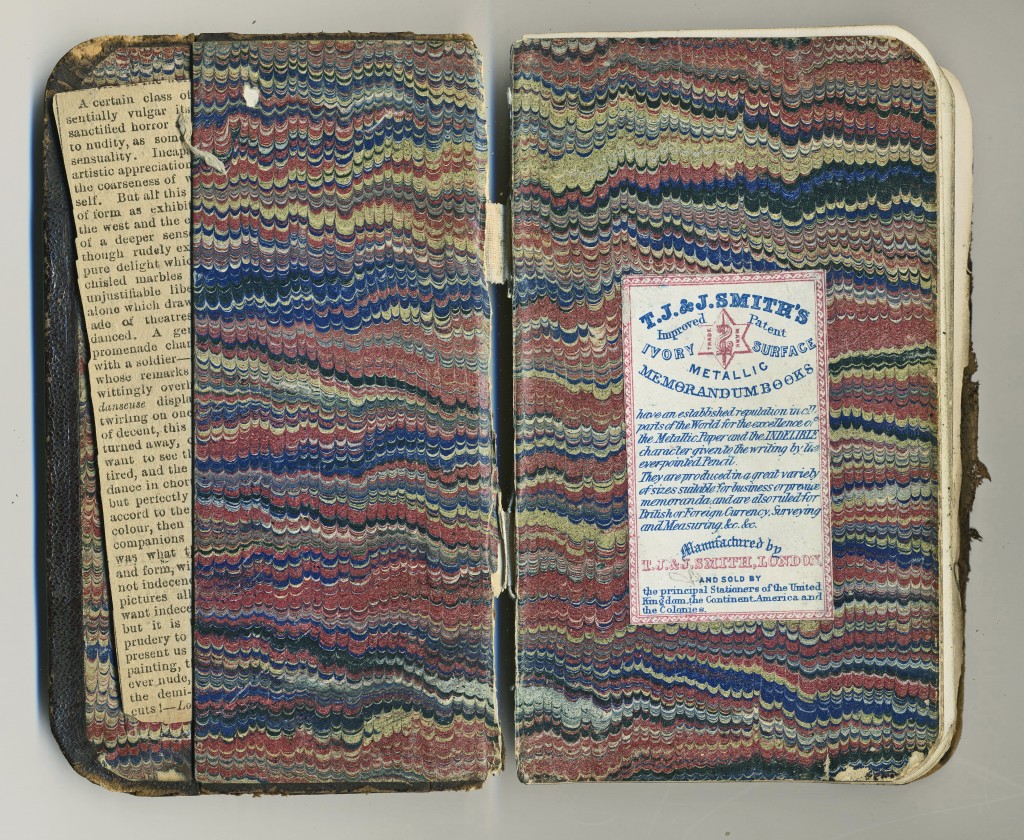
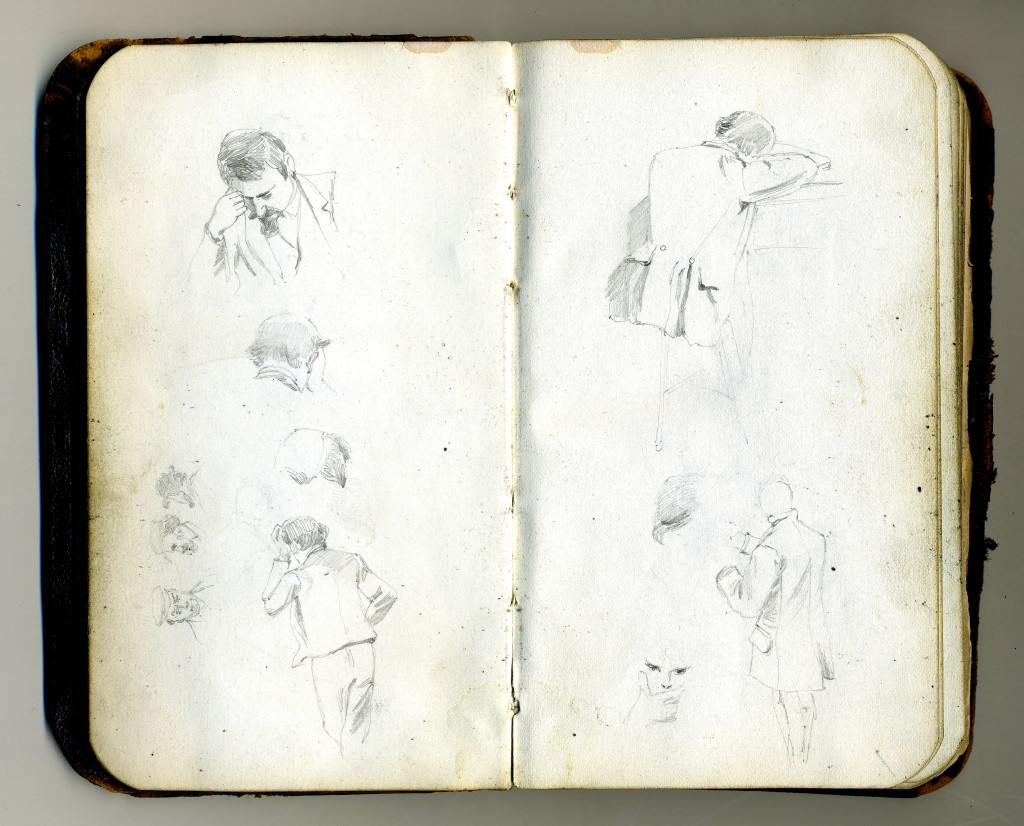
Read more about the sketchbook and the artist, and see lots more images at A Glimpse At Life A Century Ago Through The Sketchbook Of W.G. Read – Print Magazine.
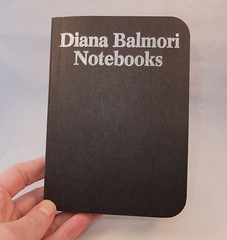
I spotted this at McNally Jackson Bookstore in NYC and couldn’t resist: a small paperback book/facsimile notebook full of drawings by landscape architect Diana Balmori. From the publisher’s website (which seems to be the only place to buy the book online):
“Notebooks is a record of sketches by Diana Balmori FASLA. Reflecting twenty years of thinking, drawing, and crafting, the book provides a window into the personal practice of landscape design.
Diana Balmori is an internationally renowned landscape and urban designer and the founder of the landscape design firm Balmori Associates.”
The original notebooks seem to have been mostly Moleskine Sketchbooks and Japanese Albums. Inside the book, you sometimes get a photo of the whole notebook page, sometimes even a fold-out spread. Other pages just have drawings. The whole book is just slightly larger than an actual pocket Moleskine, so you really feel like you are flipping through someone’s sketchbook as opposed to browsing through an art book.
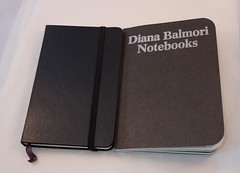
The drawings themselves are very simple, quick sketches in pencil or crayon. Occasionally there are some notes added, but they are mostly just sketches without any explanation. I almost didn’t buy the book because the drawings seemed so rough– they’re not the kind of sophisticated sketchbook pages that you look at and aspire to imitate their design and skill level. But the more I looked at them, I thought that was a good thing. So many examples of sketchbook art seem too perfect, too finished. Instead of being inspiring, they can seem daunting to others who look at them and think “my sketchbook pages will never look that good!” Sketchbooks are supposed to be for experimentation and capturing ideas. They should be full of scribbles and mess and exploration– they should be about the process, not just the results, and they don’t have to be perfect.
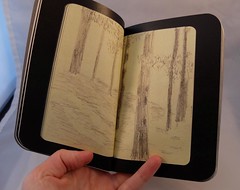
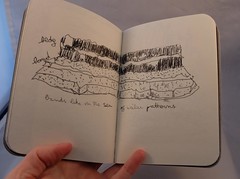
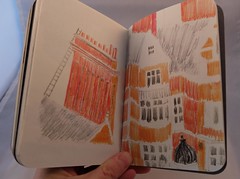
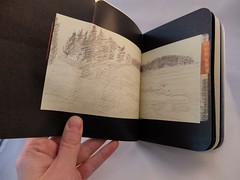
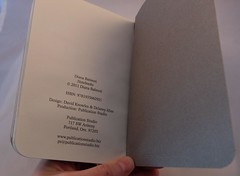
That said, I wish there was a little more commentary with these sketches (as opposed to none)– if you’re going to put your sketchbook work in a book to be shared with the public, it helps to give the reader some idea what they’re looking at. But despite that, I’m glad I paid the rather steep price of $29 to add this unique little book to my collection.
I found this sketchbook at Lee’s Art Shop in Manhattan and was intrigued by the concept: the Canson 180° Sketchbook promises to open completely flat, thanks to a unique binding.
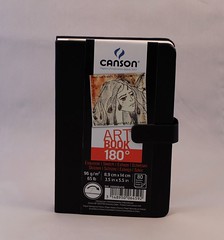
When you first spot this on the shelf, you might think it’s a fairly typical Moleskine-ish notebook– the black pseudo-leather textured cover, the 3.5 x 5.5″ size, the paper band with branding info encircling it. But when you look closer, you’ll note a couple of differences. First there’s the binding. Instead of wrapping around the spine, the front and back covers are totally separate, each attached only to the endpapers of the notebook. The spine exposes a black tape covering the sewn signatures.
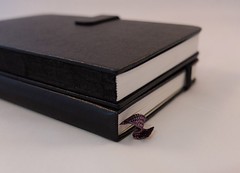
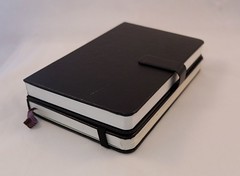
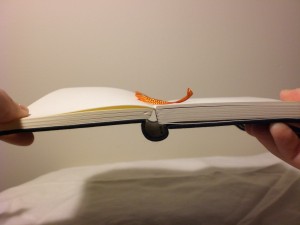
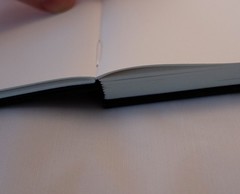
The idea is that without the extra spine material in the way, the notebook can easily open completely flat. Other notebook brands also claim to open flat– and in terms of being able to get into the gutter between the pages, many do. But their bindings don’t let them really sit flat on a surface. See below for an example– the Handbook Artist Journal (first photo below) can provide a flat 2-page drawing surface pretty well, but look how the binding bulges out. In comparison, the Canson notebook is much easier to use, especially when you have it open to the middle pages, as shown in the 2nd two photos below:
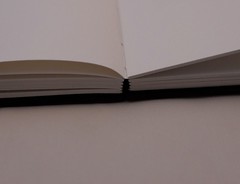
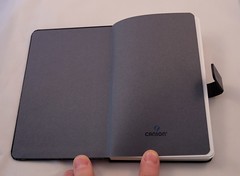
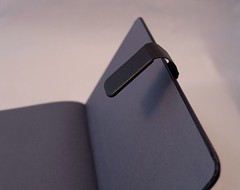
The other major points of distinction between this and other similar notebooks are that it has a magnetic tab closure on the side, and grey endpapers. I love the grey endpapers, but I hate the tab closure. I’m sure some people will find it handier to use than an elastic, but I’ve never liked this kind of closure, on Filofaxes or wallets or any other notebook. There’s just no good way to get rid of it and it gets in the way. In other ways, this is a pretty standard notebook, though it lacks the ribbon marker and back pocket that others have. It’s almost the exact same size as a pocket Moleskine, shown above and below for comparison.

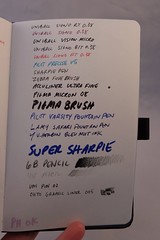
As for the paper, this is marketed as an “art book” or sketchbook. The paper is bright white and has a slight tooth to it, which makes it nice to use with pencil. It feels good with all other pens too, even fine point roller balls, although you do hear a bit of scratchiness with these. But given the 96 GSM paper weight, I was expecting it to be a little bit more substantial and was disappointed when I saw how much show-through there was– almost the same as Moleskine paper, though bleed-through wasn’t quite as bad. The paper is made in France, though the notebook is assembled in China.

The list price for this sketchbook is $10.99, and I’m pretty sure that’s what I paid. For the quality of what you get, I think that’s fair. Oddly, Amazon sells these
. I”m sure a lot of people will find these a nice sketchbook option, but I hope they’ll beef up the paper a little. If a sketchbook that truly lies flat is your highest priority, these do deliver on that promise!
This week’s addict has been featured twice before: Notebook Addict of the Week (again): Kara, and Notebook Addict of the Week: Kara. Her collection keeps growing and I love seeing more of it!
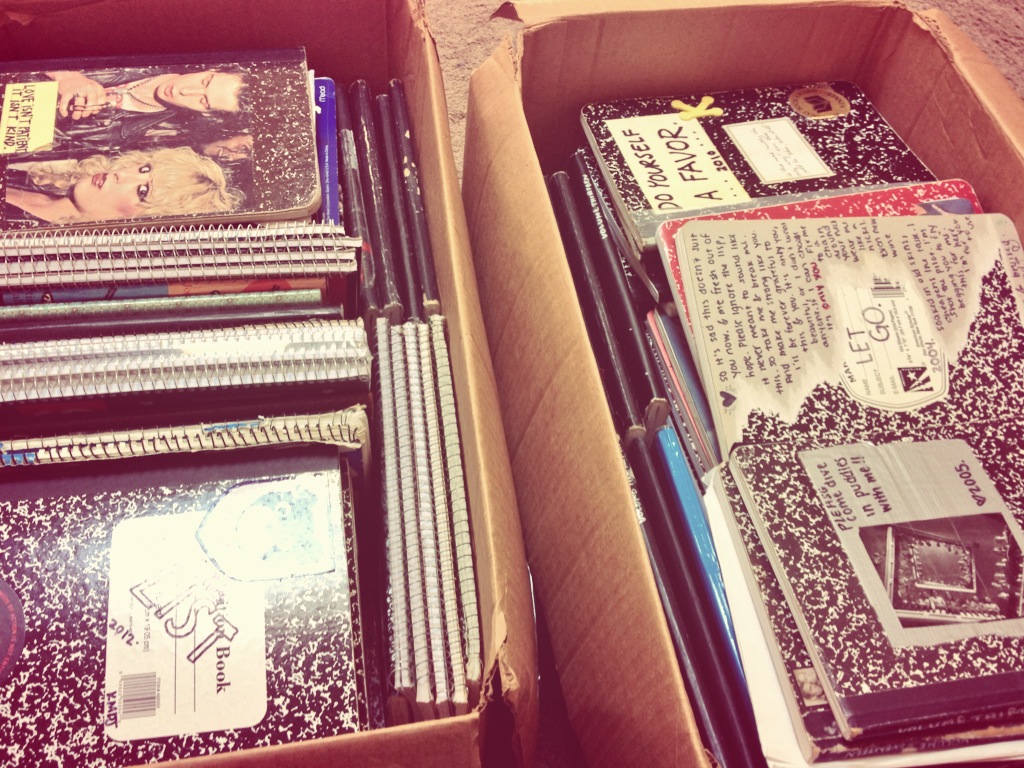
“My boxes of composition & spiral notebooks, blank or filled. They’re so heavy they can barely be lifted. Ugh!”
Make sure you use proper lifting techniques with those heavy boxes! Notebook collections can be hazardous to your health!
Here’s a bunch of people talking about how many notebooks they are using at once:
How many notebooks do you have going right now?
I found the page via a search that resulted in this image, though the image doesn’t appear on that page. I love all these piles of notebooks, all labeled and dated and lined up by type!

See the original image here: Google Image Result for http://taguealibrary.files.wordpress.com/2012/06/rd-note.jpg.
[UPDATE: as a commenter notes below, the notebooks belonged to writer Roger Deakin. The original source of the image seems to be here.]
